Meeting Bot
Automatically join, record, transcribe, and analyze your online meetings with the SuperConstruct meeting bot.
What Is the Meeting Bot?
The Meeting Bot automatically joins your online meetings, records them, and turns the recording into a transcript and an AI-generated analysis — without anyone having to take notes. It works hand-in-hand with the Meeting Minutes module: once a meeting is analyzed, the AI-identified action items can be created directly as tasks in the To-Do module.
Accessing the Meeting Bot
- Log in to SuperConstruct and select your Company
- Navigate to the required Project and open the Documents module
- Click Create and select Meeting Minutes
- Enter a title for your meeting and click Create and Open
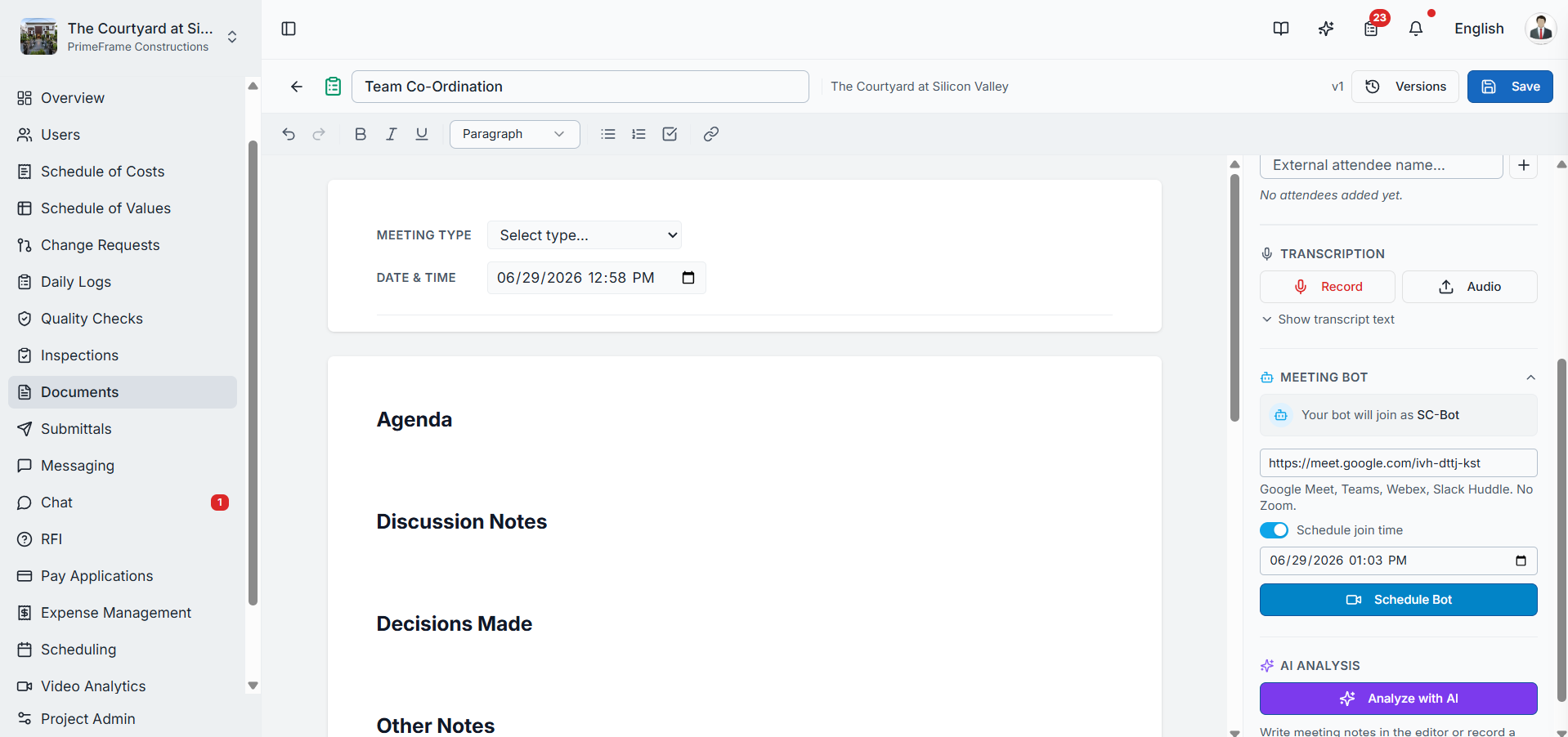
- On the meeting minutes page, find the Meeting Bot section in the right-side panel and click it
Sending the Bot to a Meeting
Paste your meeting link into the provided text box, then choose when the bot should join:
| Option | When to Use |
|---|---|
| Send Bot to Meeting | The meeting is about to start — the bot joins immediately using the provided link |
| Schedule Join Time | The meeting is scheduled for later — select the required date and time, then click Schedule Bot. The bot joins automatically at the scheduled time |
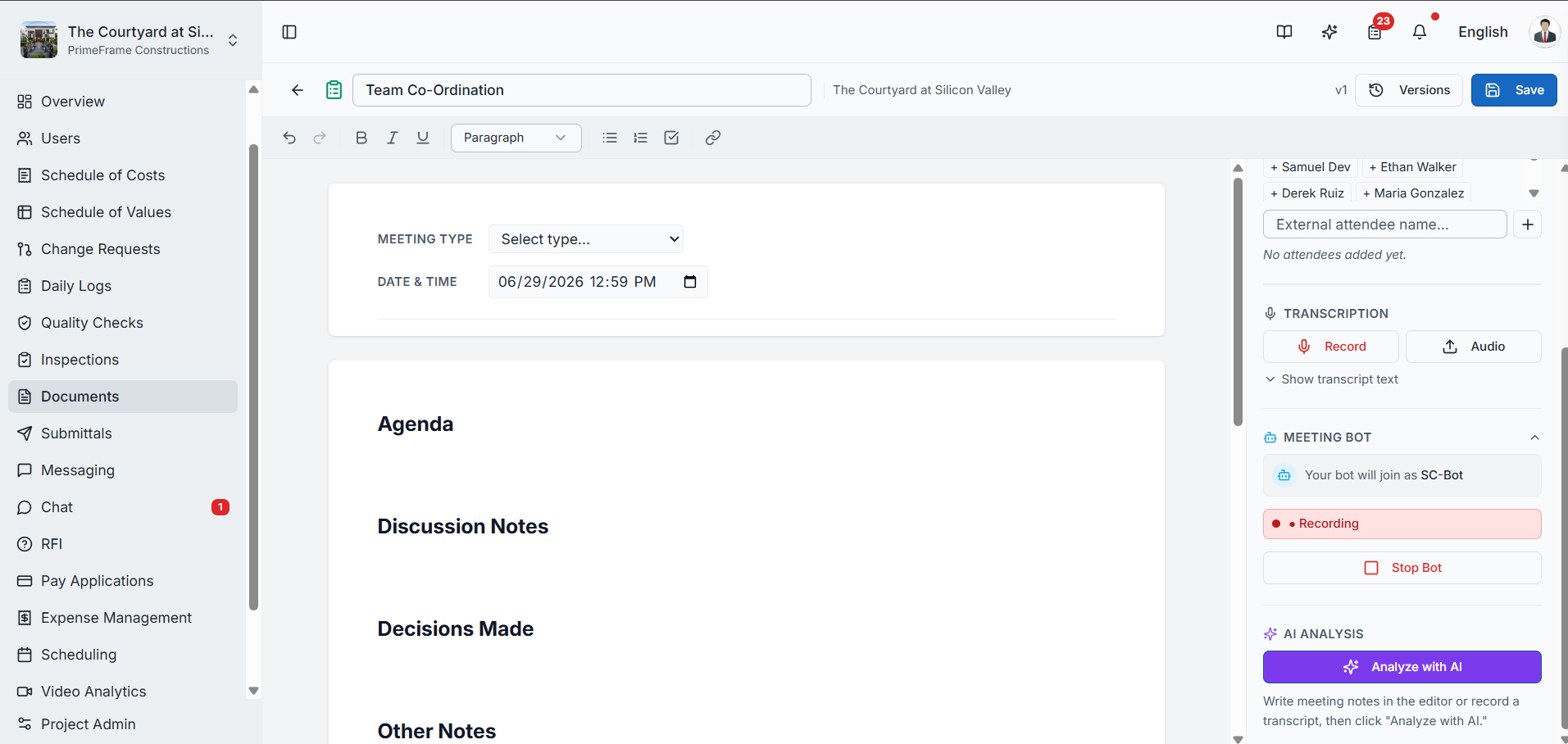
When the bot requests to join, simply admit it into the meeting. Once admitted, the SuperConstruct bot automatically begins recording. When the meeting ends, the bot automatically leaves.
Stopping the Bot & Processing the Recording
After the meeting is completed, return to SuperConstruct:
- Click Stop Bot, then confirm by clicking Confirm Stop
- Once the recording has been processed, the Play Recording option appears
- From here you can play or download the meeting recording whenever needed
- Click Show Transcript to view the complete transcript generated from the recording
Analyzing the Meeting with AI
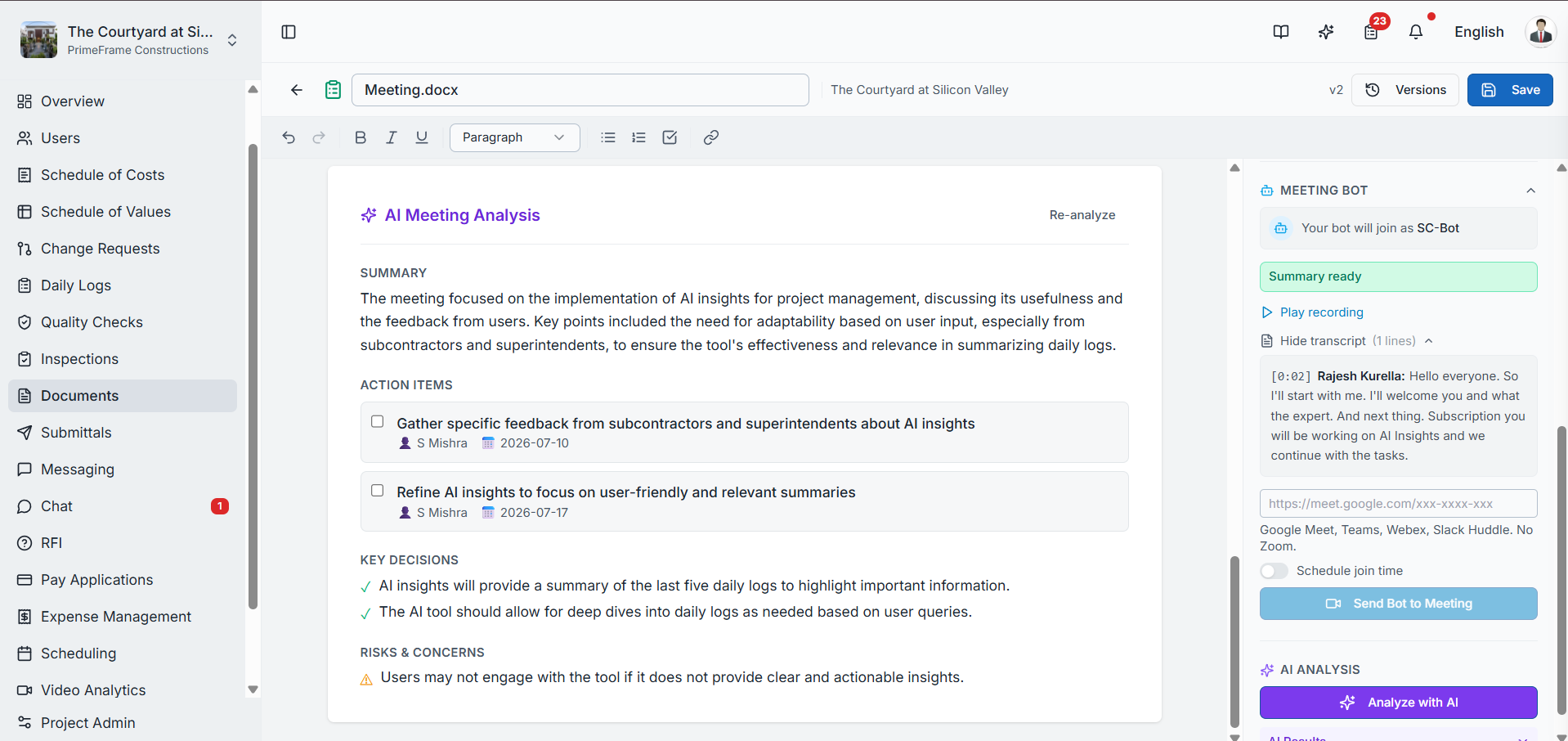
Click Analyze with AI. SuperConstruct AI analyzes the meeting transcript and automatically generates:
- A detailed meeting summary
- Key discussion points
- Action items
- Identified risks
Creating Tasks from Action Items
You can create the generated action items directly as tasks in the To-Do module, making it easy to assign responsibilities and track follow-up work.
For a detailed walkthrough of creating tasks from AI-generated action items, see the Meeting Minutes module.
Video Walkthrough
Meeting Bot — Automatically Join, Record & Analyze Meetings
Role Access: Available to all project members. Recording, transcripts, and task assignments follow project role permissions.