
Account & Settings
Support
Submit and manage support tickets for help with any platform issues.
Accessing Support
Click your avatar in the top-right corner, then select "Support" from the dropdown menu.
Support Ticket Dashboard
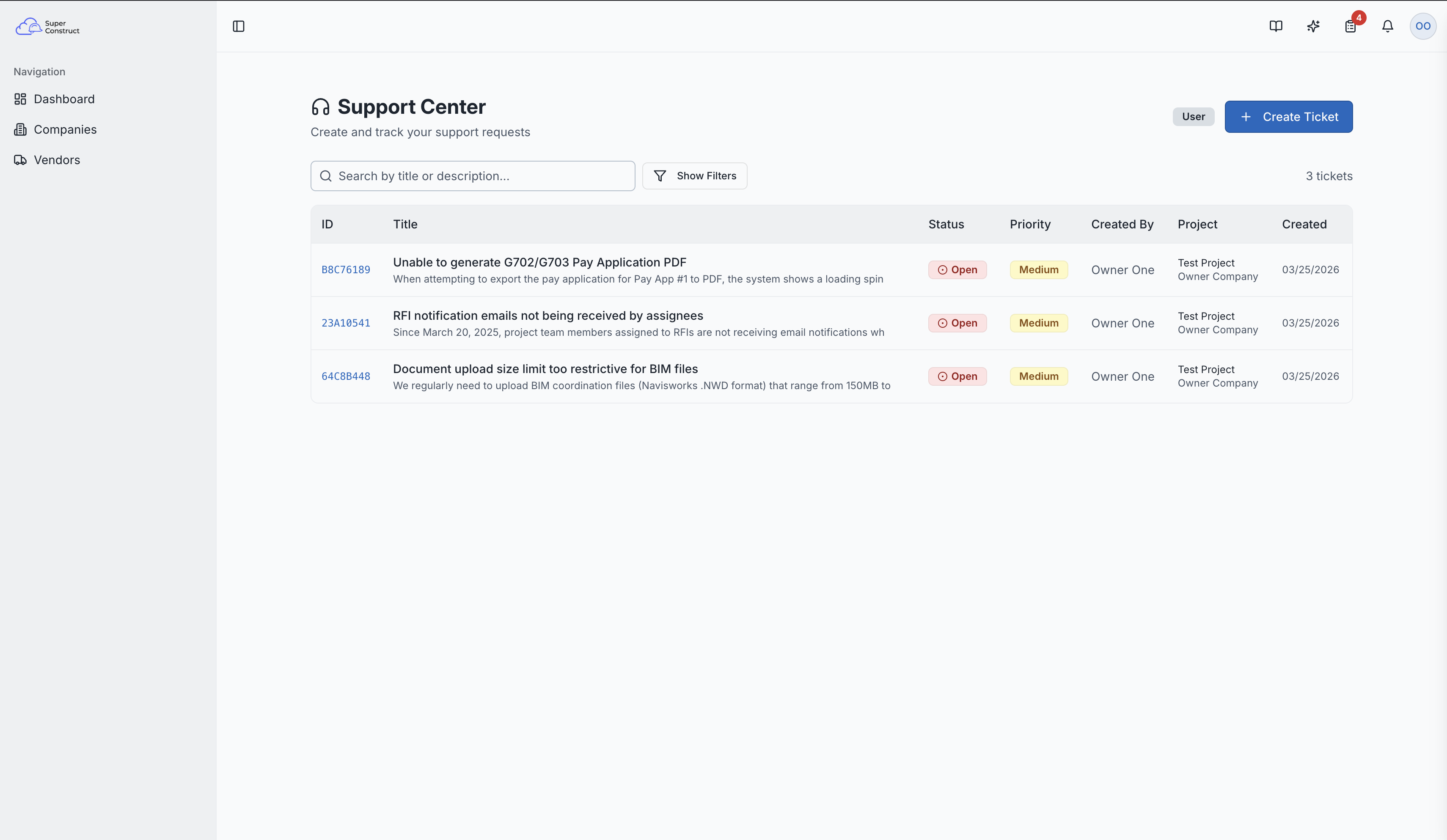
The support page shows a list of your support tickets with:
- Search — find tickets by keyword
- Filters — filter by status (Open, In Progress, Resolved, Closed) and priority (Low, Medium, High)
- Status Badges — visual indicators of each ticket's current state
Support ticket list with search and filters
Creating a Support Ticket
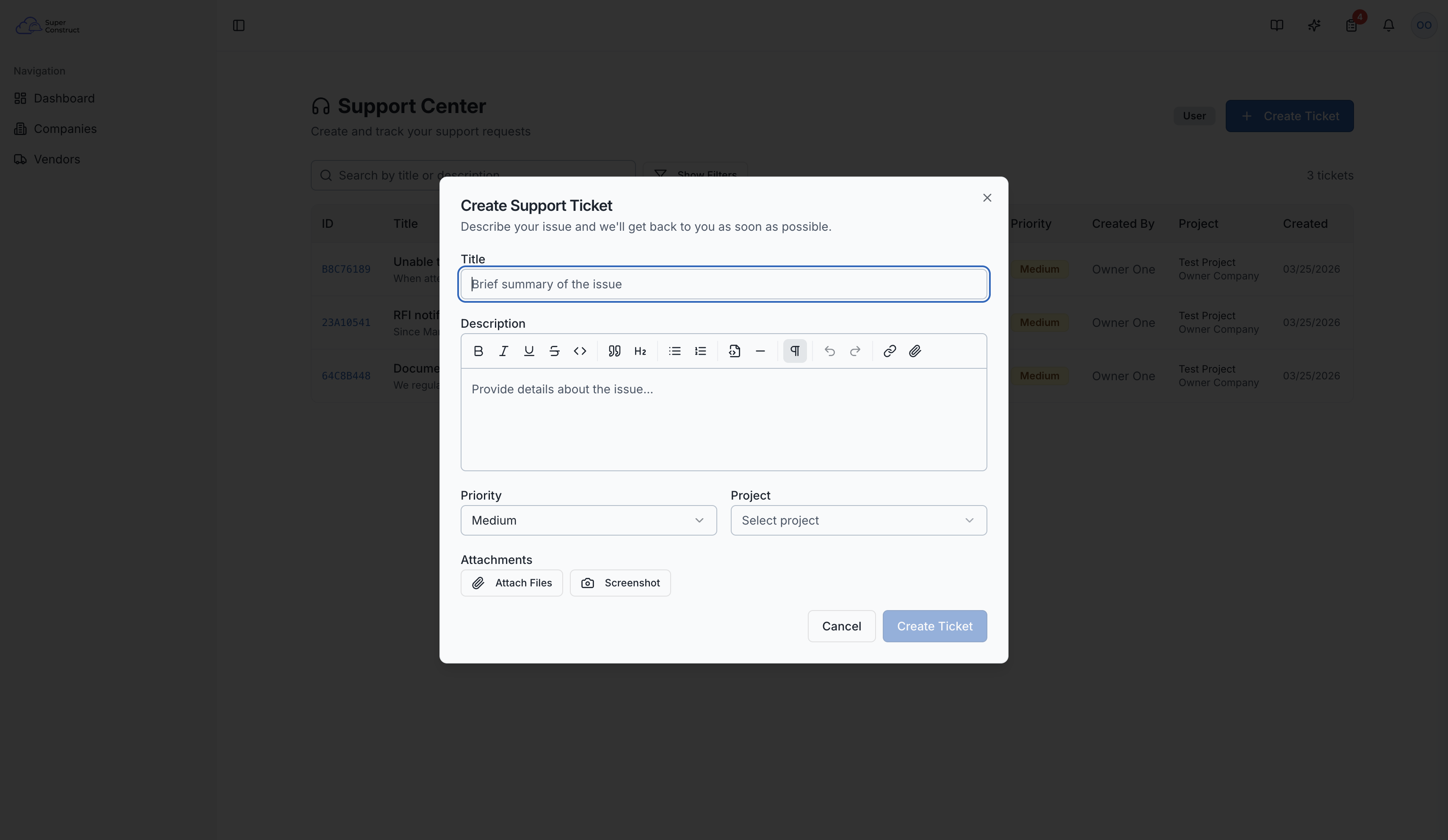
Click the "New Ticket" button to open the creation form:
- Title — a brief summary of your issue
- Description — detailed explanation using a rich text editor (bold, lists, links, etc.)
- Priority — Low, Medium, or High
- Project Association — link the ticket to a specific project (optional)
- Attachments — upload files and screenshots to help describe the issue
The new ticket creation form
Ticket Details
Click any ticket to view its full details:
- Complete description and metadata
- Status badge and priority level
- Comment System — exchange messages with the support team, attach additional files
Ticket Management
- Status Updates — tickets progress through: Open → In Progress → Resolved → Closed
- Assignment — support staff can assign tickets to specific team members
- Priority Adjustments — priority can be updated as the situation evolves
Role Access:
- All users can create and view their own support tickets
- Admins and support staff can assign tickets, update status/priority, and view all tickets
- Support Metrics (tickets by status and priority) are visible to support staff
Video Tutorial
How to Submit and Manage Support Tickets in SuperConstruct