
Documentation & Communication
Submittals
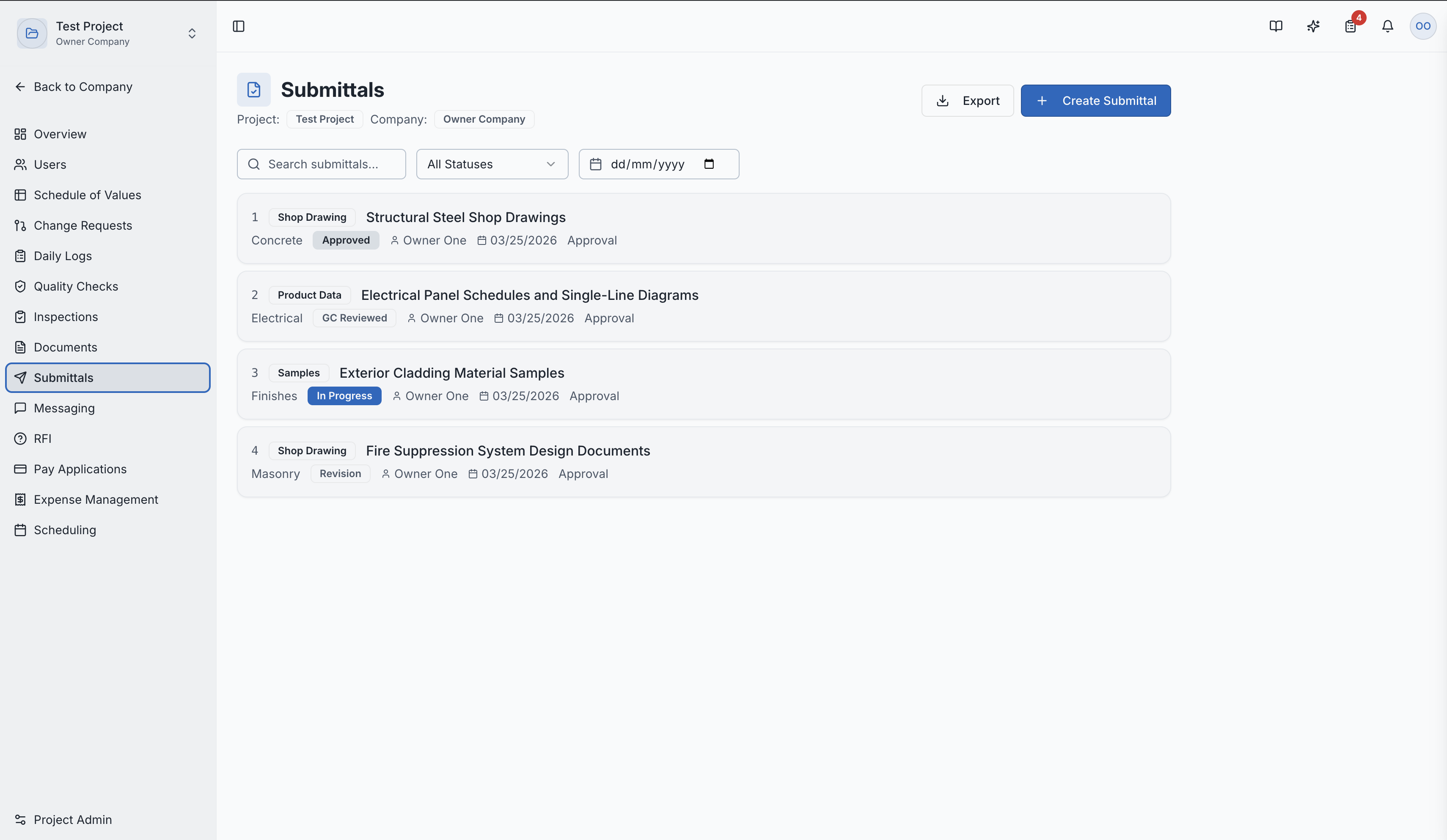
Submit materials and specifications for review and approval before use on the project.
What Are Submittals?
Submittals are formal submissions of materials, products, shop drawings, and specifications for review and approval before they're used on the construction project. They ensure that what's being installed matches the project's design intent and specifications.
Why Submittals Matter
- Specification Compliance — verify that proposed materials meet the architect's specifications
- Quality Assurance — catch material issues before installation, preventing costly rework
- Design Coordination — ensure products from different trades work together
- Record Keeping — maintain a documented trail of approved materials for closeout
The submittals list page
Creating a Submittal
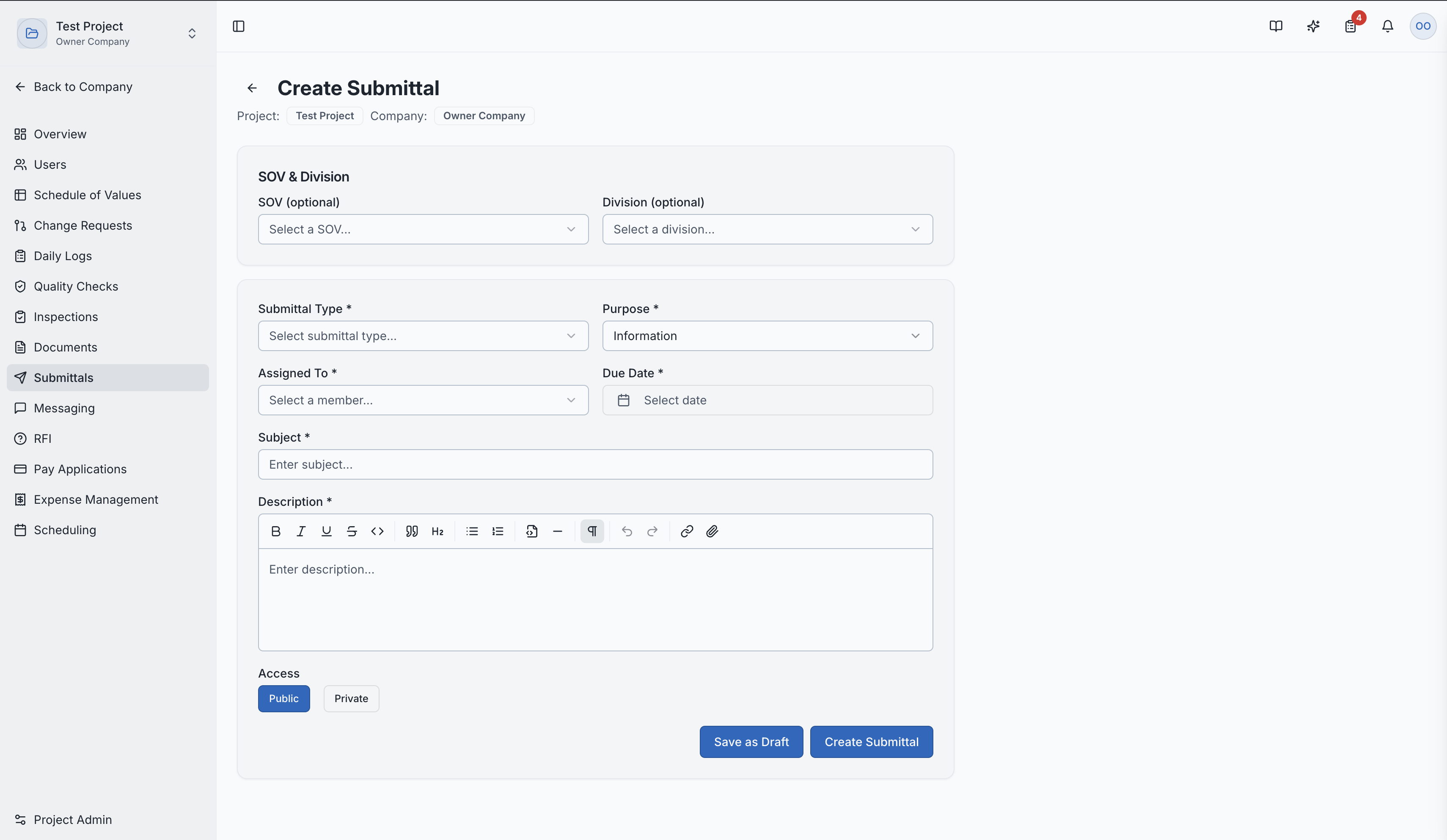
- Navigate to Submittals in the project sidebar
- Click "New Submittal"
- Fill in the details:
- Title — descriptive name (e.g., "Structural Steel Shop Drawings")
- Description — what's being submitted and why
- Specification Section — which part of the specs this relates to
- Linked Documents — attach the actual submittal documents (shop drawings, product data, samples)
- Assigned Reviewer — typically the architect or engineer
- Due Date — when the review should be completed
Creating a new submittal
Submittal Workflow
| Status | Description |
|---|---|
| Draft | Being prepared — can be edited |
| Submitted | Sent to the reviewer |
| Under Review | Reviewer is evaluating the submittal |
| Approved | Meets specifications — proceed with procurement/installation |
| Rejected | Does not meet specifications — must resubmit |
| Revise & Resubmit | Close but needs modifications — revise and send back |
Submittal Detail Page
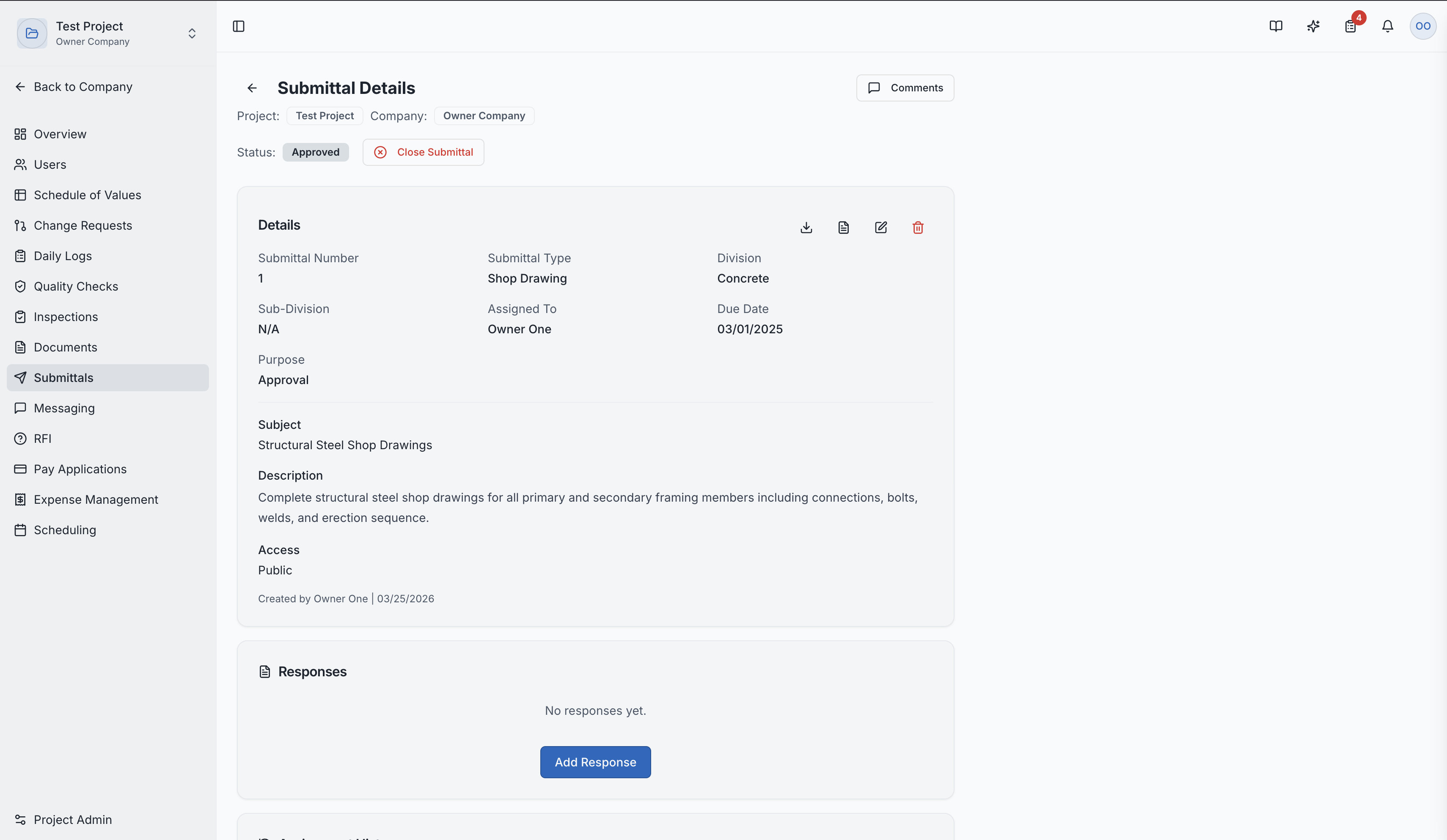
Clicking a submittal shows:
- Full description and specification reference
- All attached documents (shop drawings, product data, etc.)
- Review comments from the architect/engineer
- Complete approval history with timestamps
- Current status and next actions
Submittal detail with review status and comments
Role Access:
| Role | Access Level |
|---|---|
| General Contractor | Create, submit, and manage submittals |
| Architect | Primary reviewer — approve, reject, or request revisions |
| Subcontractor | Create submittals for their scope of work |
| Owner / Developer | View submittal status |
| GC Member | VIEW only |
Video Tutorial
How to Create Construction Submittals in SuperConstruct