
Field Operations
Quality Checks
Assess work quality tied to SOV tasks — ensure standards before billing.
What Are Quality Checks?
Quality Checks (QC) are QA/QC assessments tied to specific SOV tasks. They help verify that work meets the required standards and specifications before it's billed for in a Pay Application.
Why Quality Checks Matter
- Standards Compliance — verify work meets project specifications
- Billing Verification — confirm work is actually complete before paying for it
- Rework Prevention — catch quality issues early before they compound
- Quality Records — maintain a documented history of quality assessments
The quality checks list page
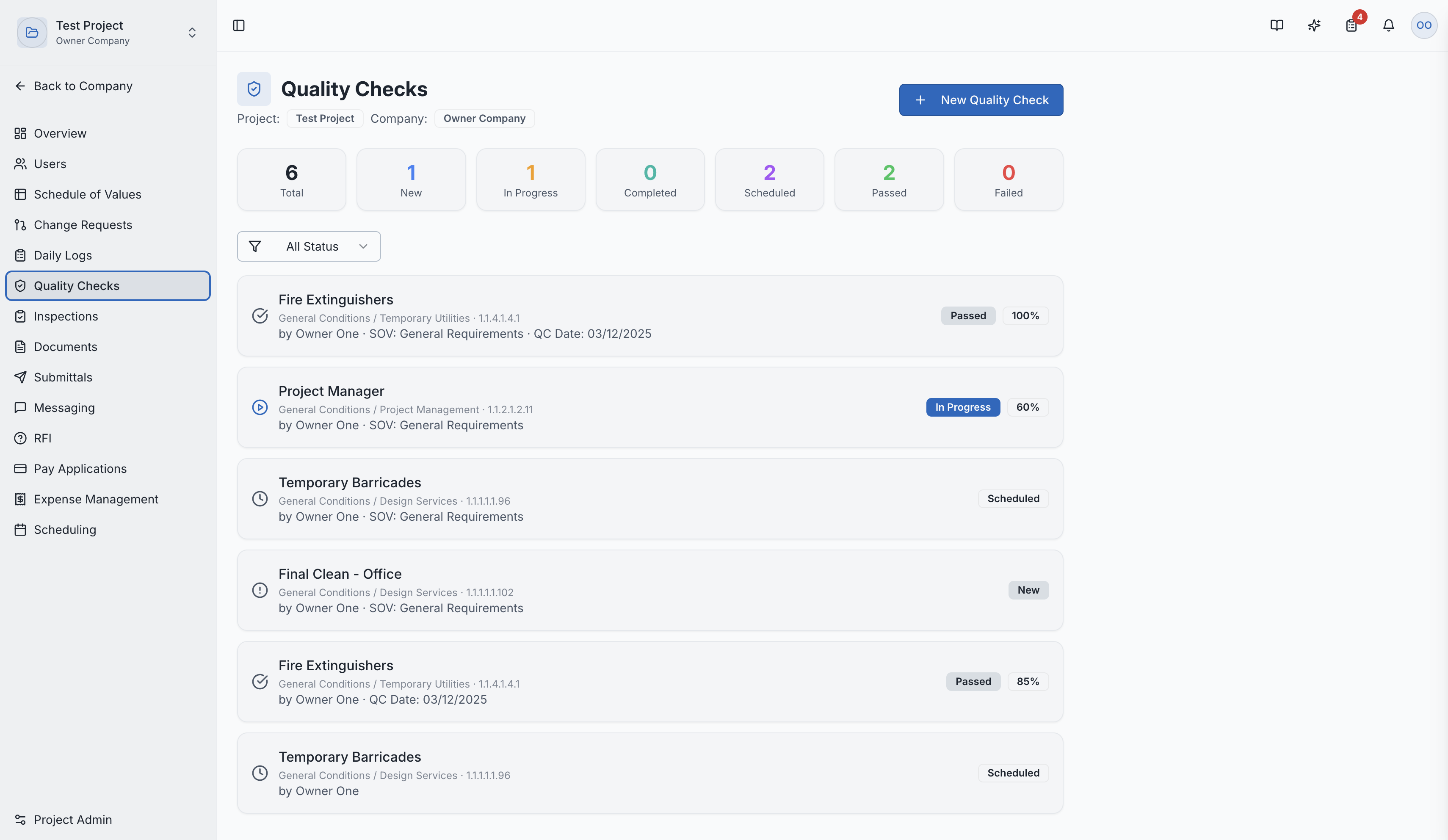
Creating a Quality Check
- Navigate to Quality Checks in the project sidebar
- Click "New Quality Check"
- Fill in the details:
- Linked SOV Task — which specific line item is being checked
- Completion Percentage — your assessment of how complete the work is
- Notes and Observations — detailed observations about quality
- Status — Pass or Fail
Private vs. Public
Quality Checks can be set as:
- Public — visible to all project members
- Private — restricted to specific team members only
This is useful when preliminary assessments shouldn't be visible to all parties.
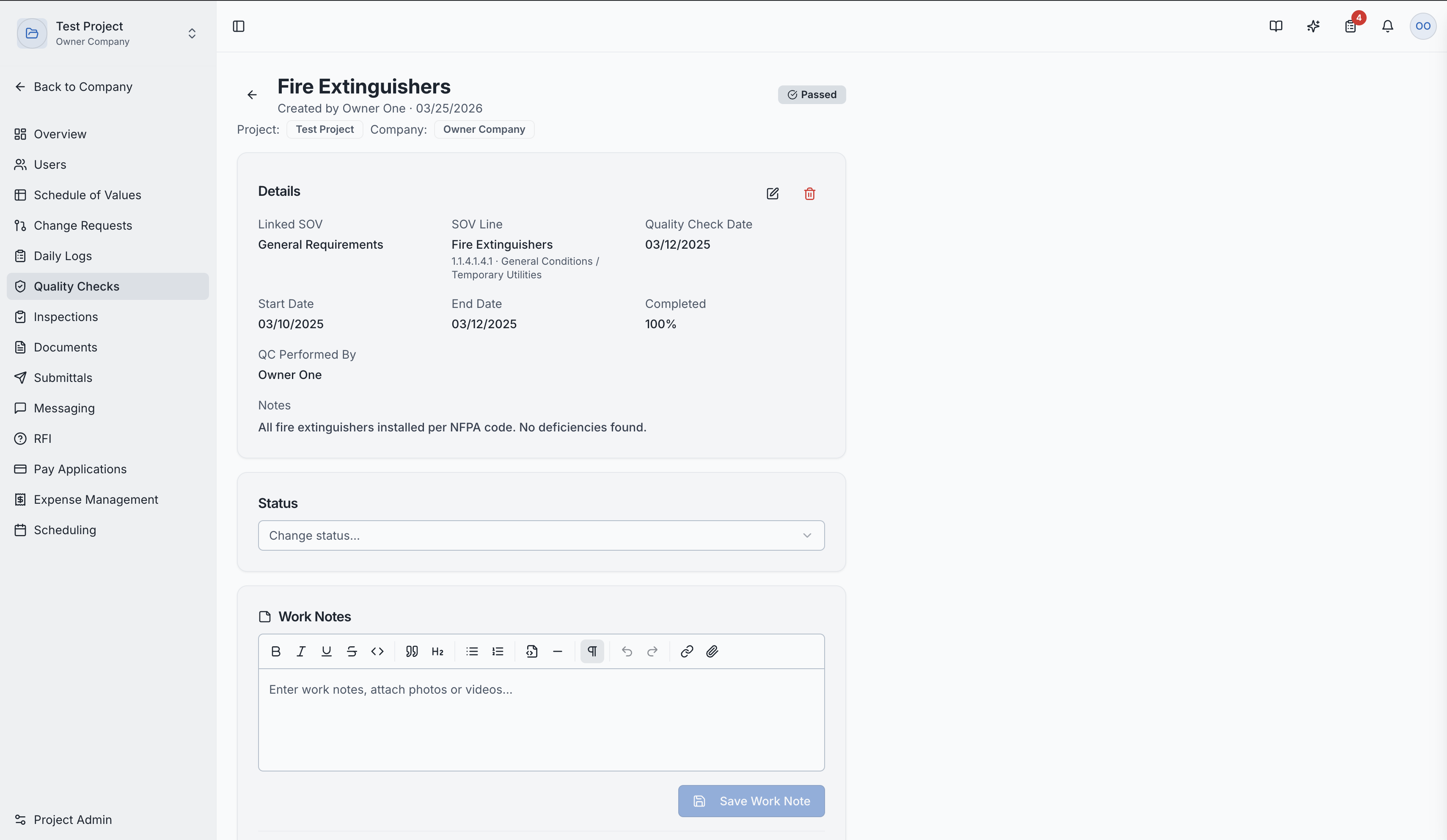
Quality Check Detail Page
Clicking a quality check shows:
- Status (Passed/Failed)
- Linked SOV task details
- Completion percentage
- Detailed notes and observations
- Assessment history
Quality check detail with status and notes
Role Access:
| Role | Access Level |
|---|---|
| General Contractor | Create and manage all quality checks |
| GC Superintendent | Primary creator of quality checks |
| GC Project Manager | Full management access |
| Subcontractor | Manage quality checks for their scope |
| Owner / Developer | View quality checks |
| GC Member | VIEW only |
Video Tutorial
How to Create Quality Checks in SuperConstruct