Documentation & Communication
Messaging
Project-wide structured communication — different from traditional chat.
What Is the Message Center?
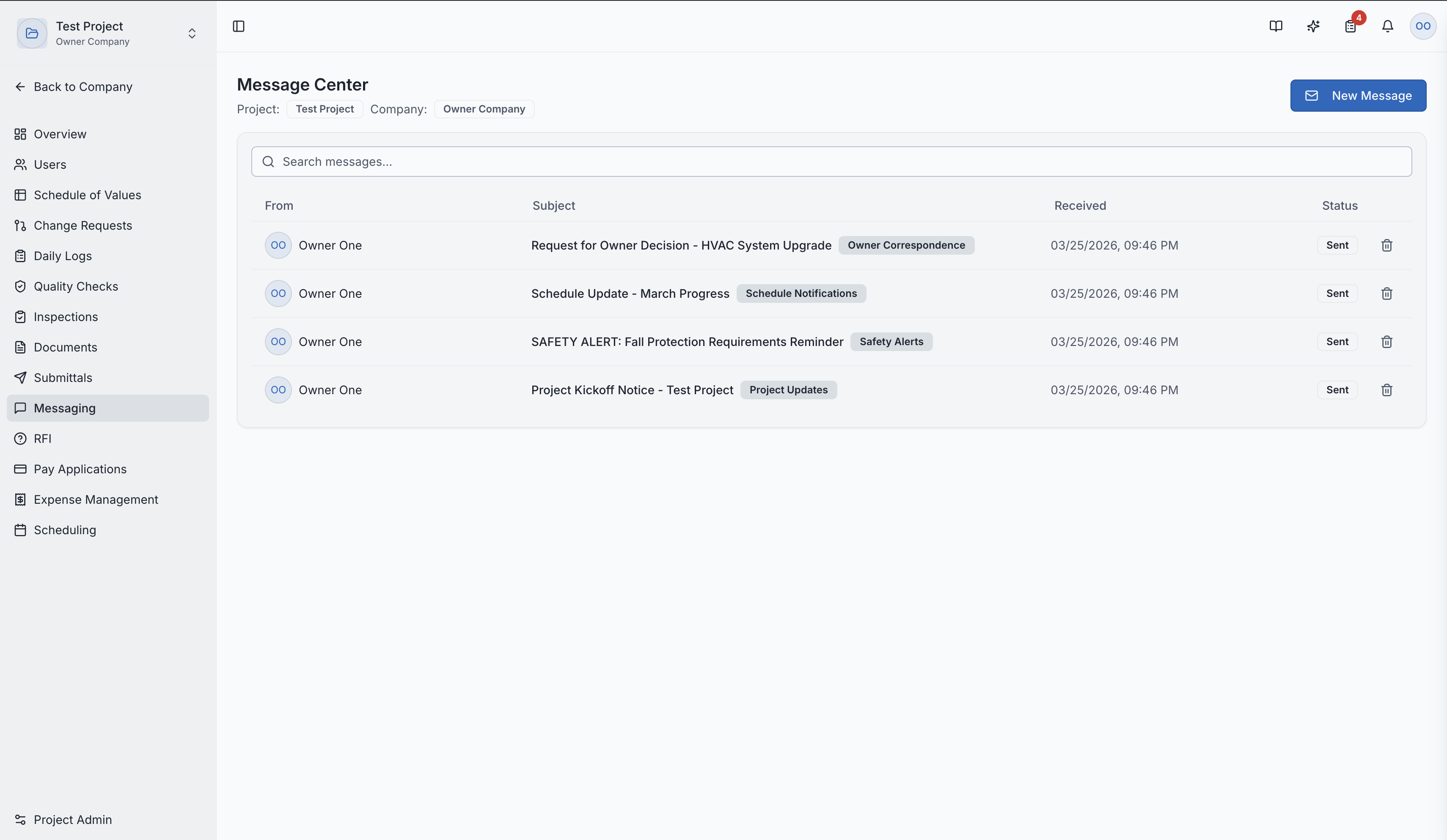
The Message Center is SuperConstruct's project-wide communication platform. Unlike traditional chat apps, the Message Center operates as a structured bulletin board with categories, privacy levels, and read receipts.
The message center list page
How It's Different from Traditional Chat
| Feature | Traditional Chat | SuperConstruct Messaging |
|---|---|---|
| Format | Real-time, ephemeral messages | Structured, searchable posts |
| Organization | Chronological only | Categorized and filterable |
| Privacy | Per-channel/group | Per-message with three levels |
| Tracking | Read indicators | Full read receipts per recipient |
| Purpose | Casual conversation | Formal project communication |
| Record | Chat history | Official project record |
Privacy Levels
Each message can have one of three privacy levels:
- PUBLIC — visible to all project members
- OWNERTEAM — visible only to owner team members (owner, developer)
- PRIVATE — visible only to specified recipients
Creating a Message
- Navigate to Messaging in the project sidebar
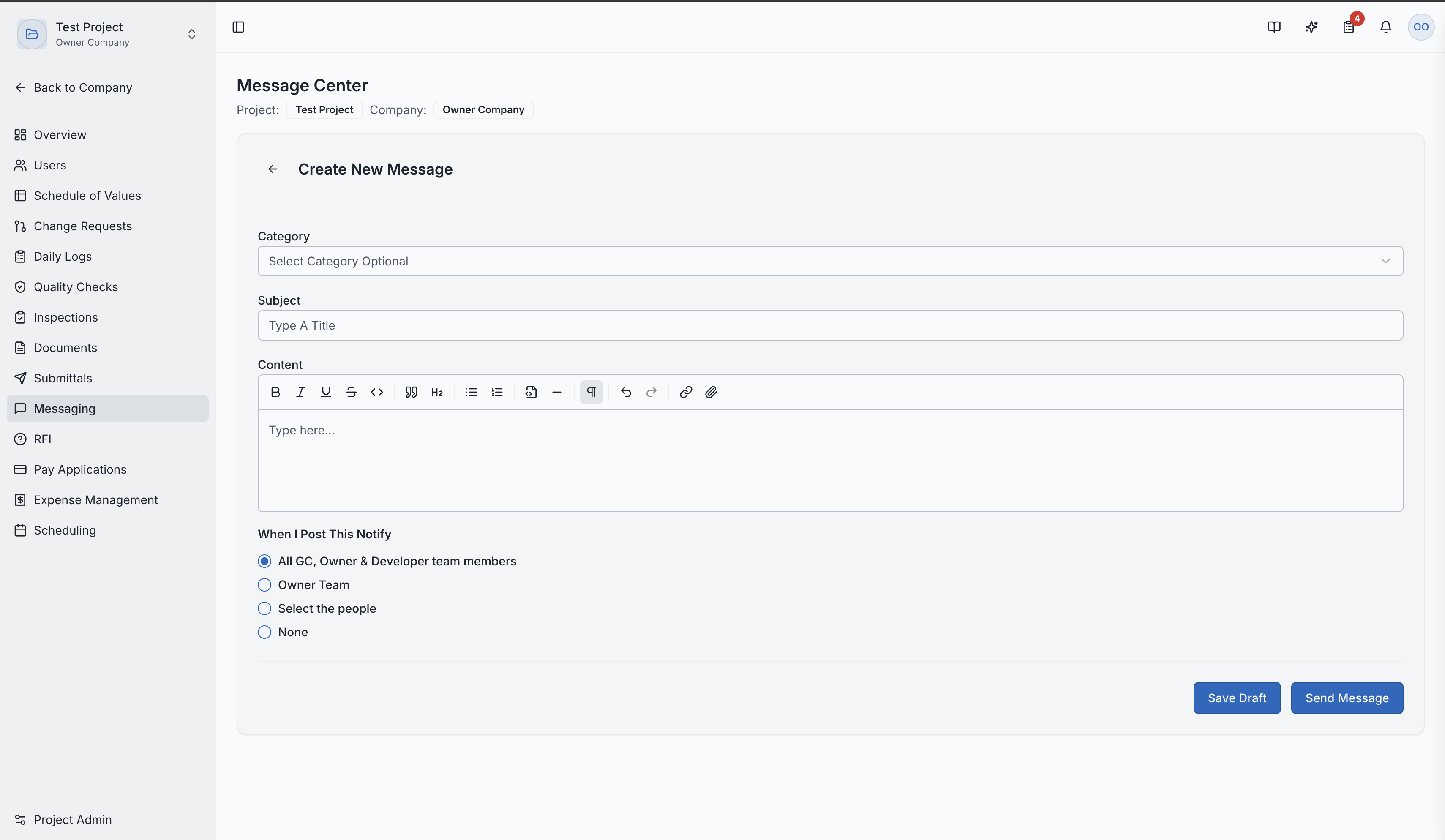
- Click "New Message"
- Fill in the details:
- Subject — clear topic line
- Category — categorize the message type
- Privacy Level — Public, Owner Team, or Private
- Recipients — if private, select specific recipients
- Content — your message body
Creating a new message
Read Receipts
The Message Center tracks which recipients have viewed each message. This is valuable for:
- Confirming important notifications were seen
- Tracking information distribution
- Maintaining accountability
Notifications
When a new message is posted:
- In-app notifications alert recipients immediately
- Email notifications ensure recipients are informed even when offline
Message Detail Page
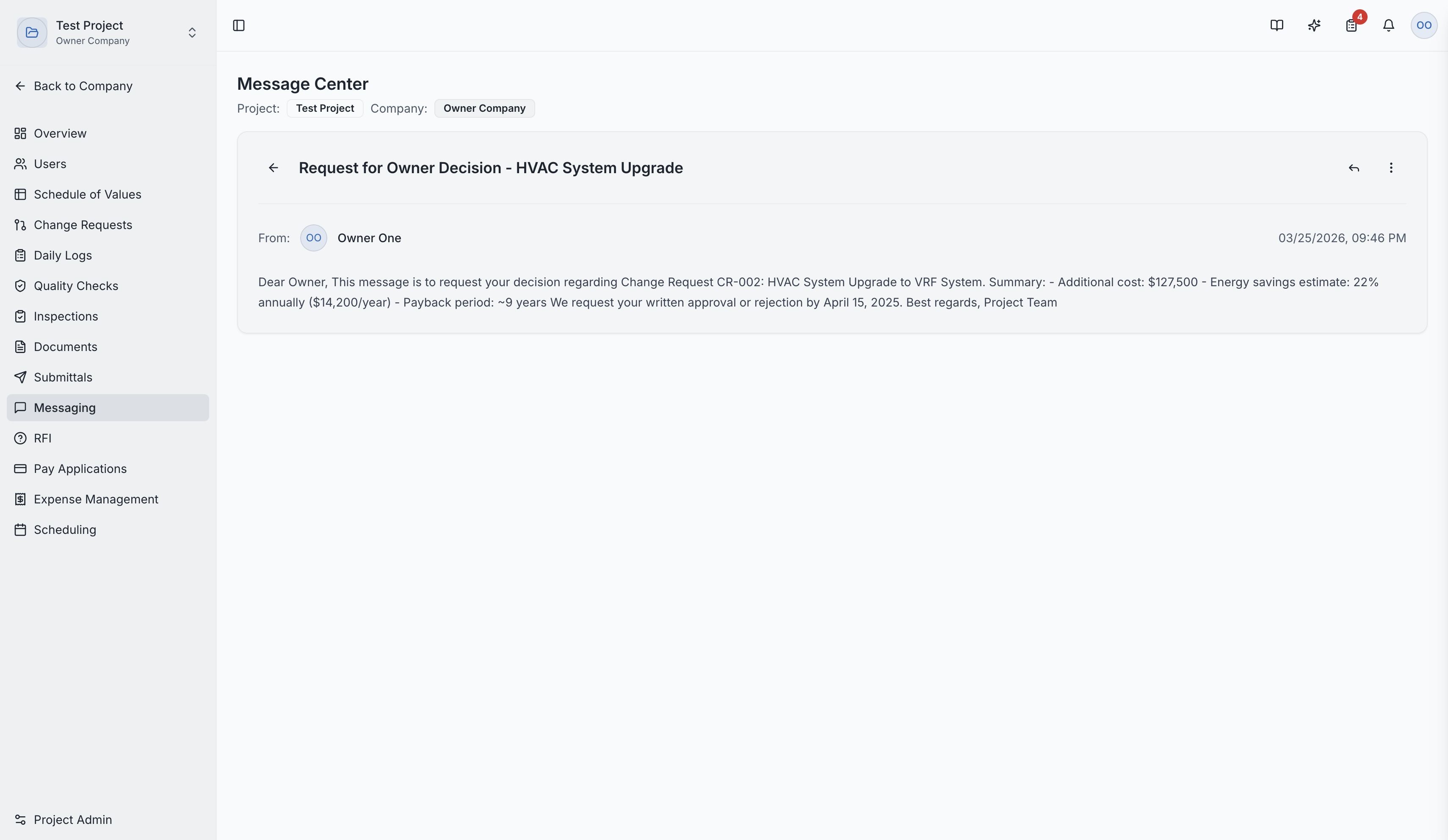
Clicking a message shows:
- Full message content
- Recipient list with read/unread status
- Reply thread — responses from other team members
- Timestamps for all activity
Message detail with read receipts and replies
Role Access:
| Role | Access Level |
|---|---|
| General Contractor | Full access — create and manage messages |
| Owner / Developer | Create and view messages |
| Architect | Create and manage messages |
| Subcontractor | Create and view messages shared with them |
| GC Member | VIEW only |
Video Tutorial
How to Manage Construction Team Communication in SuperConstruct