Field Operations
Inspections
Schedule and manage formal safety and compliance inspections at project milestones.
What Are Inspections?
Inspections are formal safety and compliance reviews conducted at required project milestones. In construction, certain work must pass inspection before the project can proceed to the next phase — for example, foundation inspections must pass before framing can begin.
Why Inspections Matter
- Regulatory Compliance — required by building codes and local ordinances
- Safety Assurance — verify safe working conditions and structural integrity
- Phase Progression — work must pass inspection to proceed to the next construction phase
- Liability Protection — documented inspections protect all parties
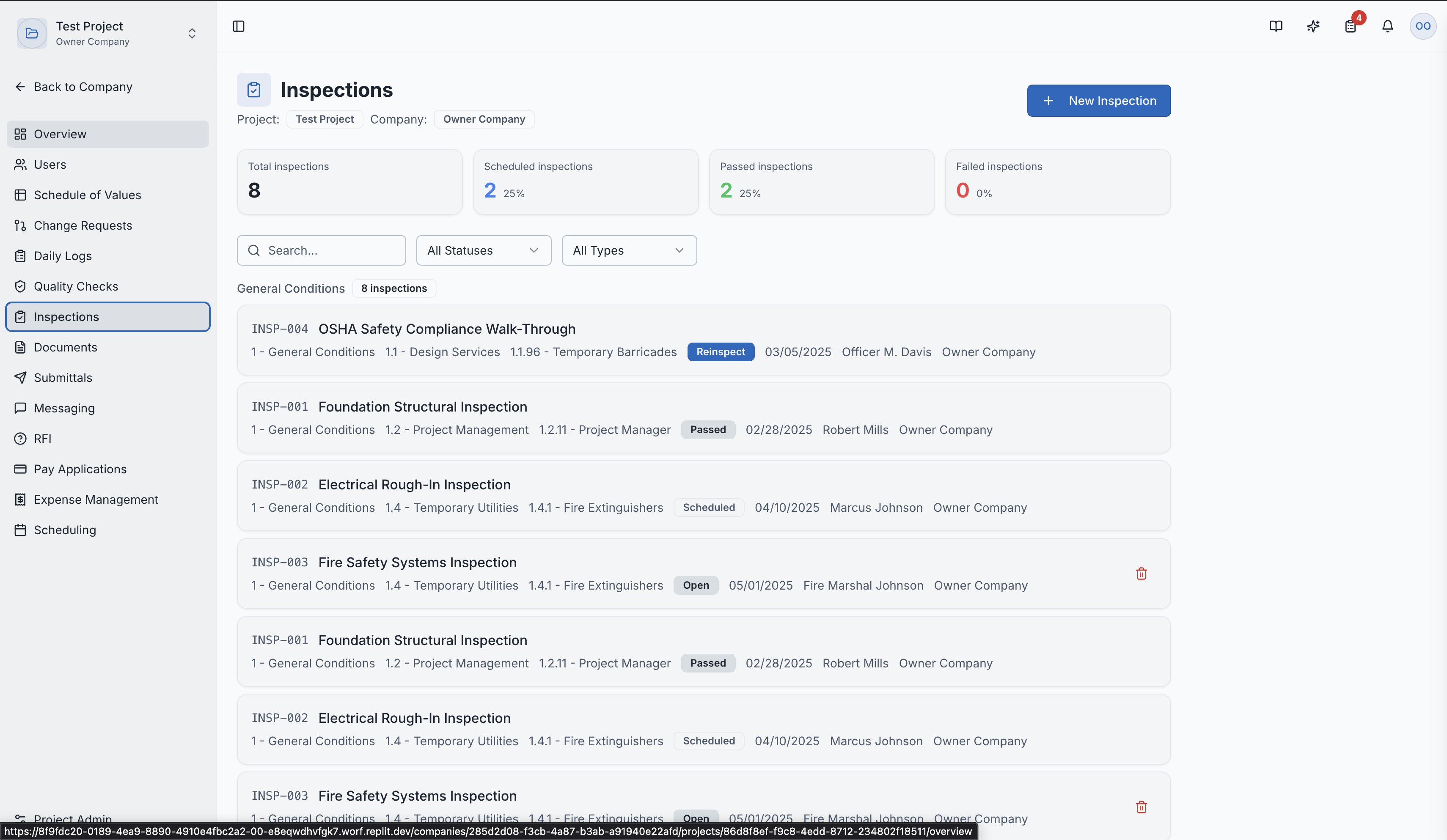
The inspections list page
Types of Inspections
- Safety Inspections — workplace safety compliance
- Quality Inspections — workmanship and material quality
- Compliance Inspections — building code and specification adherence
- Milestone Inspections — required at specific construction phases (earthwork, foundations, framing, MEP rough-in, finals)
Creating an Inspection
- Navigate to Inspections in the project sidebar
- Click "New Inspection"
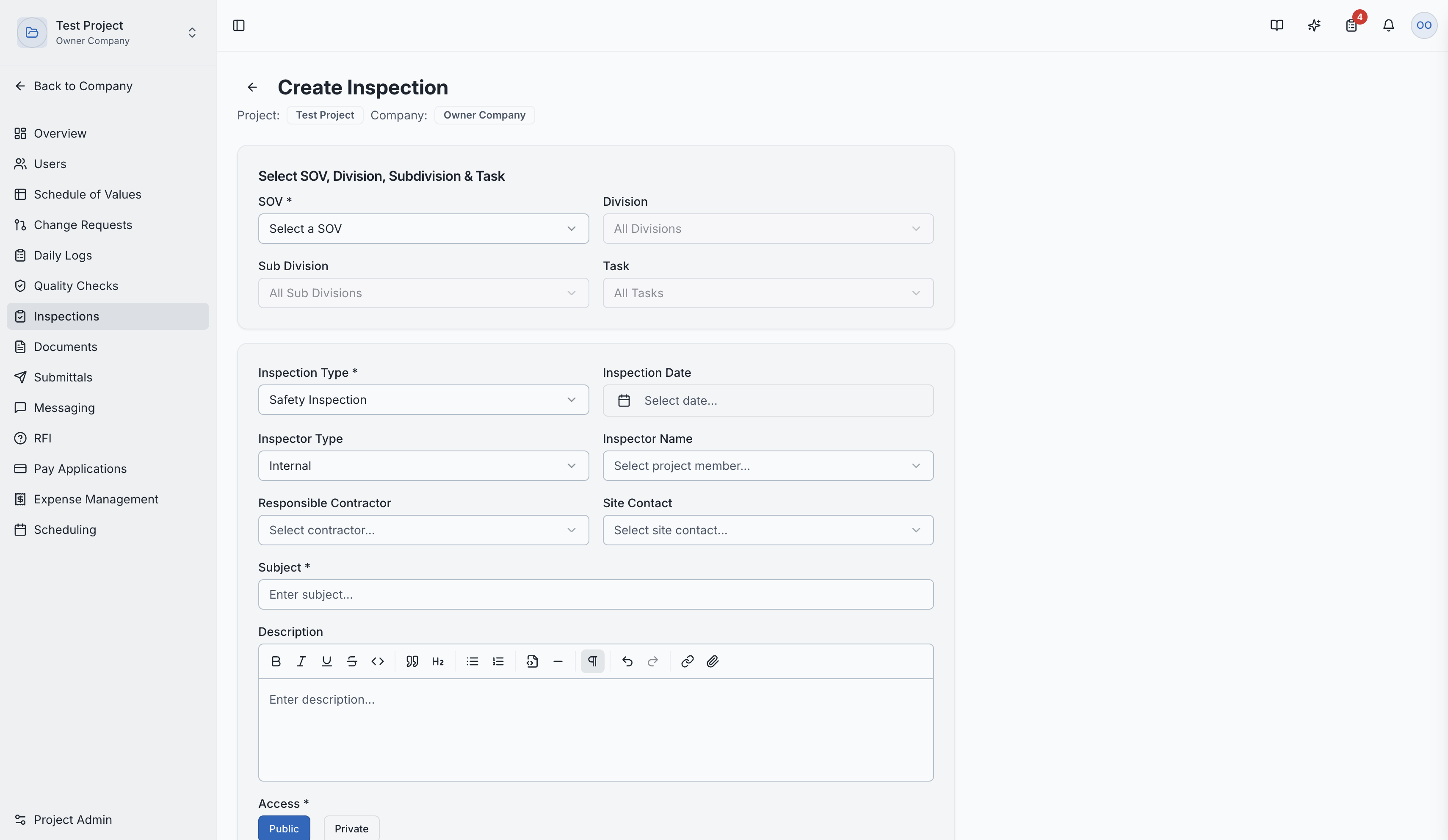
- Fill in the details:
- Inspection Type — Safety, Quality, Compliance, etc.
- Assigned Inspector — who will perform the inspection
- Date — scheduled inspection date
- Description — what will be inspected
- Checklist Items — specific items to be reviewed
Creating a new inspection
Inspection Workflow
| Status | Description |
|---|---|
| Scheduled | Inspection is planned for a future date |
| In Progress | Inspector is currently performing the review |
| Passed | All items meet requirements |
| Failed | Issues found that must be corrected |
| Reinspect | Re-inspection needed after corrections |
Failed Inspections
When an inspection fails:
- Pending tasks are automatically created for the responsible parties
- The re-inspection workflow is tracked
- All correction attempts are documented
Revision History
Every inspection maintains a complete revision history:
- Original inspection results
- Any changes or updates
- Re-inspection results
- All corrections and follow-ups
Inspection Detail Page
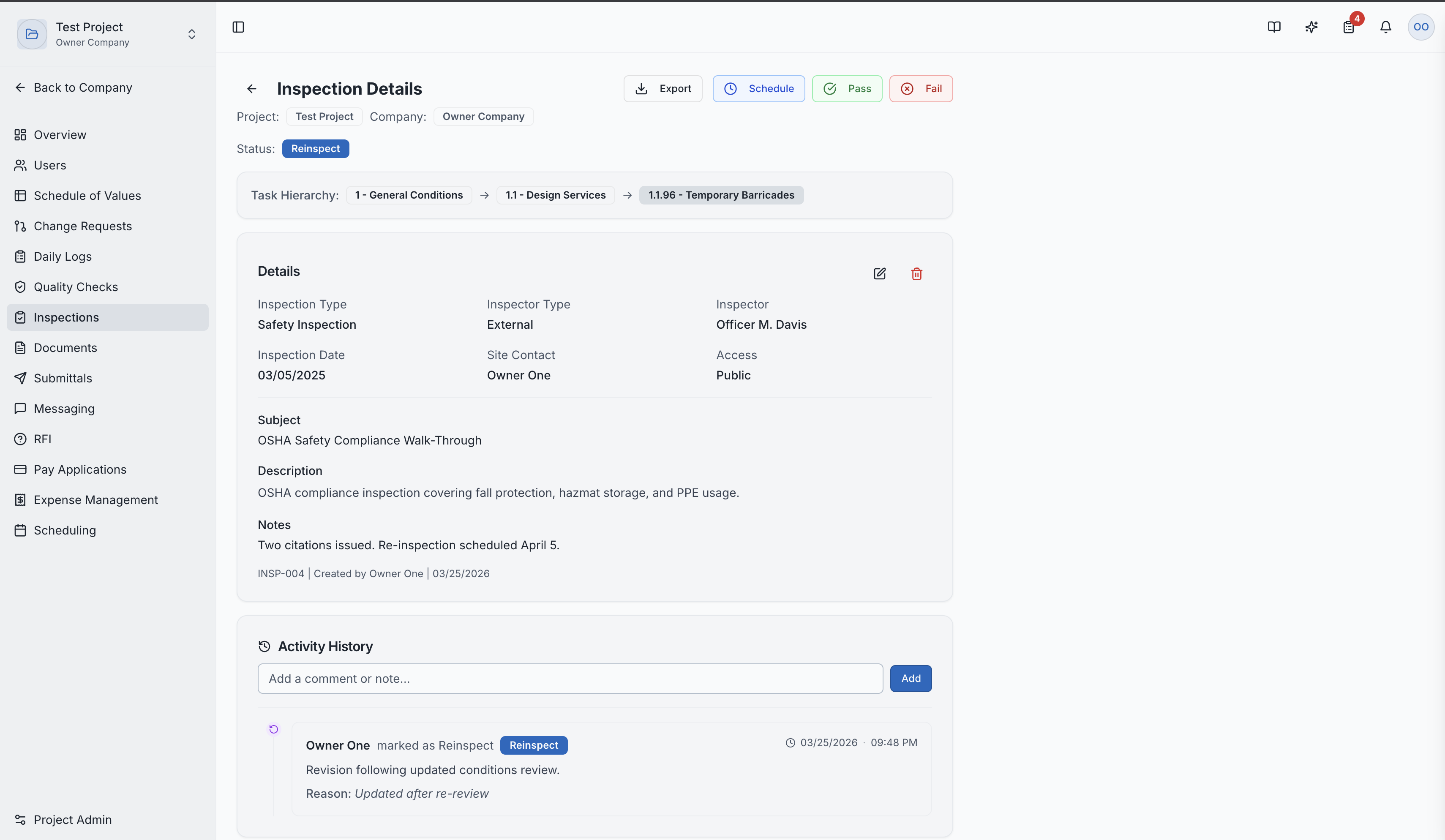
Clicking an inspection shows:
- Complete inspection report
- Checklist results (pass/fail per item)
- Inspector notes and observations
- Photos and attachments
- Full revision history
Inspection detail showing checklist and results
Role Access:
| Role | Access Level |
|---|---|
| General Contractor | Schedule, manage, and view all inspections |
| GC Superintendent | Primary manager of inspections |
| GC Project Manager | Full management access |
| Subcontractor | View inspections related to their work |
| Owner / Developer | View inspection results |
| GC Member | VIEW only |
Video Tutorial
How to Create Construction Inspections in SuperConstruct