
Documentation & Communication
Documents
Cloud-based document storage with folder structure, permissions, and bulk upload.
What Is the Documents Module?
The Documents module provides unlimited cloud-based storage for all project-related files. It organizes documents in a familiar folder structure and includes granular permission controls.
Why It Matters
- Centralized Storage — no more searching through emails, drives, and text messages
- Version Control — always know which version of a document is current
- Access Control — control who can see, share, and download specific files
- Automatic Organization — system folders are created automatically for module outputs
Features
File/Folder Structure
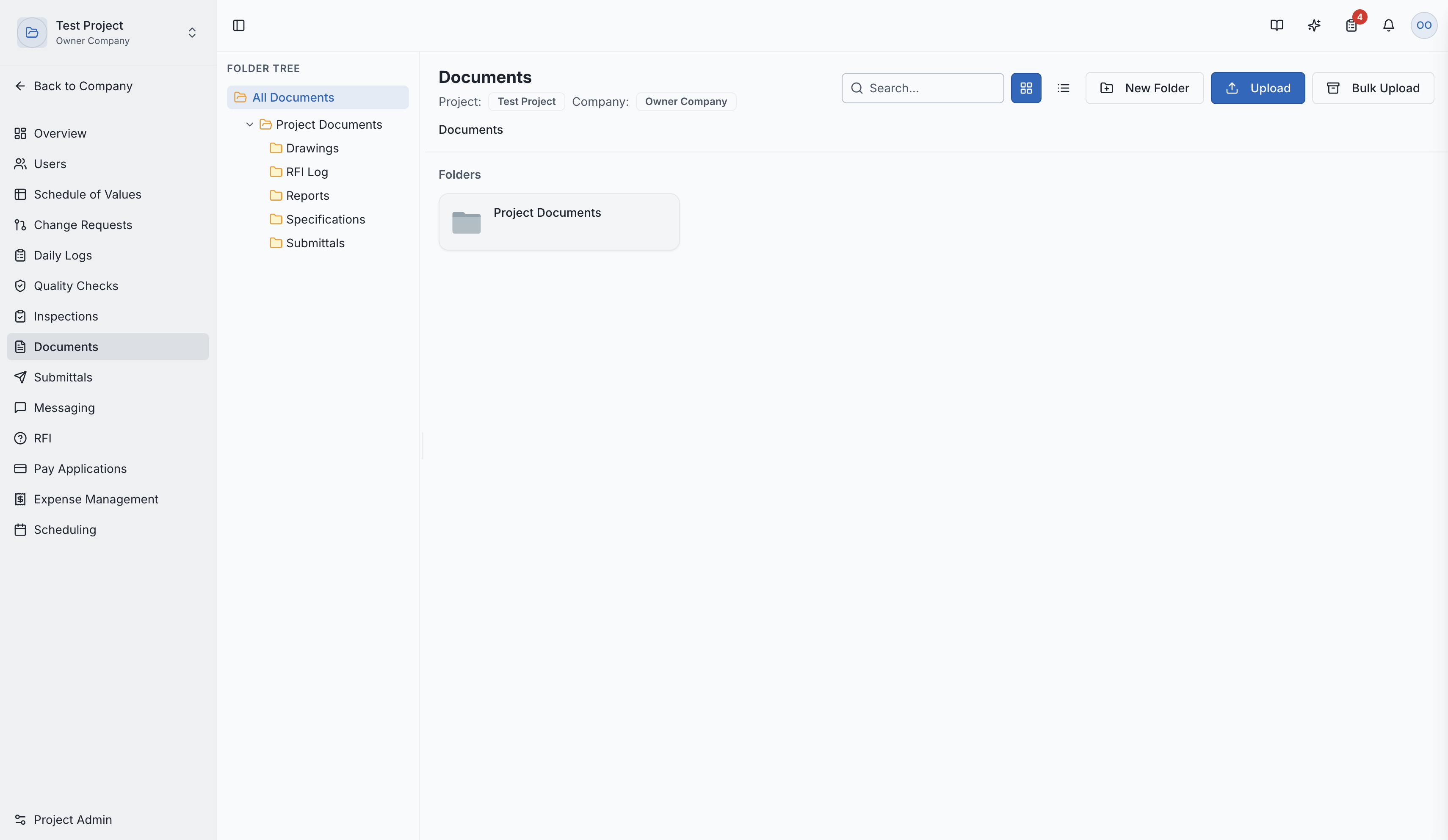
Documents are organized in a virtual file system:
- Create nested folders to organize by category, phase, or trade
- Drag and drop files into folders
- Rename, move, and delete files and folders
The documents page with folder structure
Bulk Upload
Upload multiple files at once:
- ZIP File Support — upload a ZIP file and it's automatically extracted into the correct folder structure
- Upload multiple individual files simultaneously
Permissions
Granular access control per file and folder:
| Permission Level | What It Allows |
|---|---|
| View | See the file and its metadata |
| Share | Share the file with others |
| Download | Download a copy of the file |
| Full Access | All of the above plus edit, move, and delete |
System Folders
SuperConstruct automatically creates folders for module outputs:
- Pay Application documents (signed G702/G703)
- Change Order documents
- Inspection reports
- And more — keeping everything organized automatically
File Actions
For each file, you can:
- View — preview PDFs and images directly in the browser
- Download — save a local copy
- Share — share access with specific team members
- Rename — update the file name
- Move — move to a different folder
- Delete — remove the file
Role Access:
| Role | Access Level |
|---|---|
| General Contractor | Full access — create, manage, share documents |
| Owner / Developer | Full access |
| Architect | MANAGE access to documents |
| Subcontractor | Access to documents shared with them |
| GC Member | VIEW only |
Video Tutorial
How to Manage Construction Documents in SuperConstruct