
Field Operations
Daily Logs
Record daily site activity, weather, workers, and progress with photos.
What Are Daily Logs?
Daily Logs are daily records of everything happening on a construction site. They document work performed, weather conditions, personnel on-site, and any notable events. Think of them as the project's daily diary.
Why Daily Logs Matter
- Legal Documentation — daily logs serve as legal records of what happened on-site
- Progress Tracking — track day-by-day progress for each trade
- Pay Application Support — photos and work logs support billing claims
- Dispute Resolution — timestamped records help resolve disagreements about what work was performed
- Weather Documentation — weather impacts are common sources of schedule claims
The daily logs list page
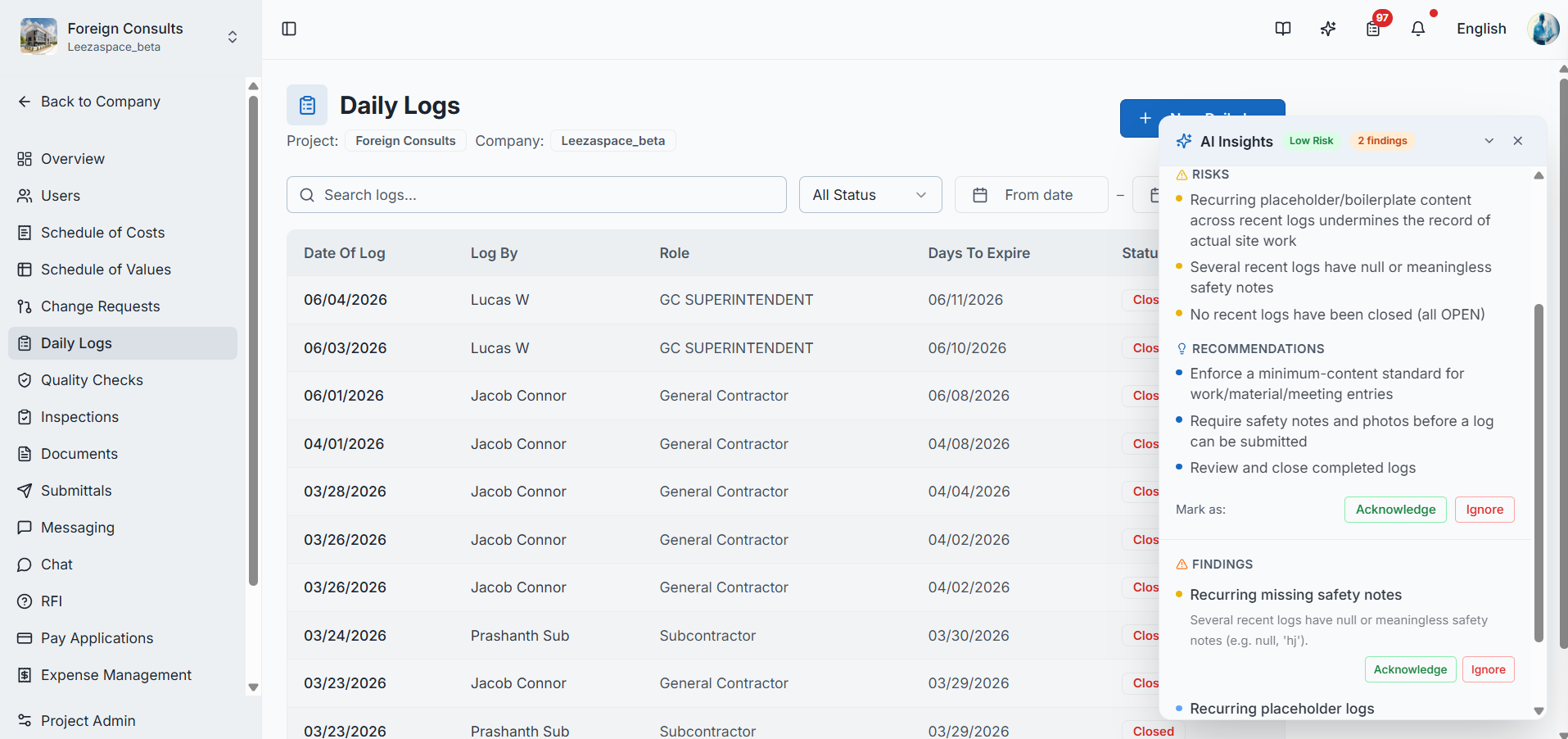
Creating a Daily Log
- Navigate to Daily Logs in the project sidebar
- Click "New Daily Log" or select a date
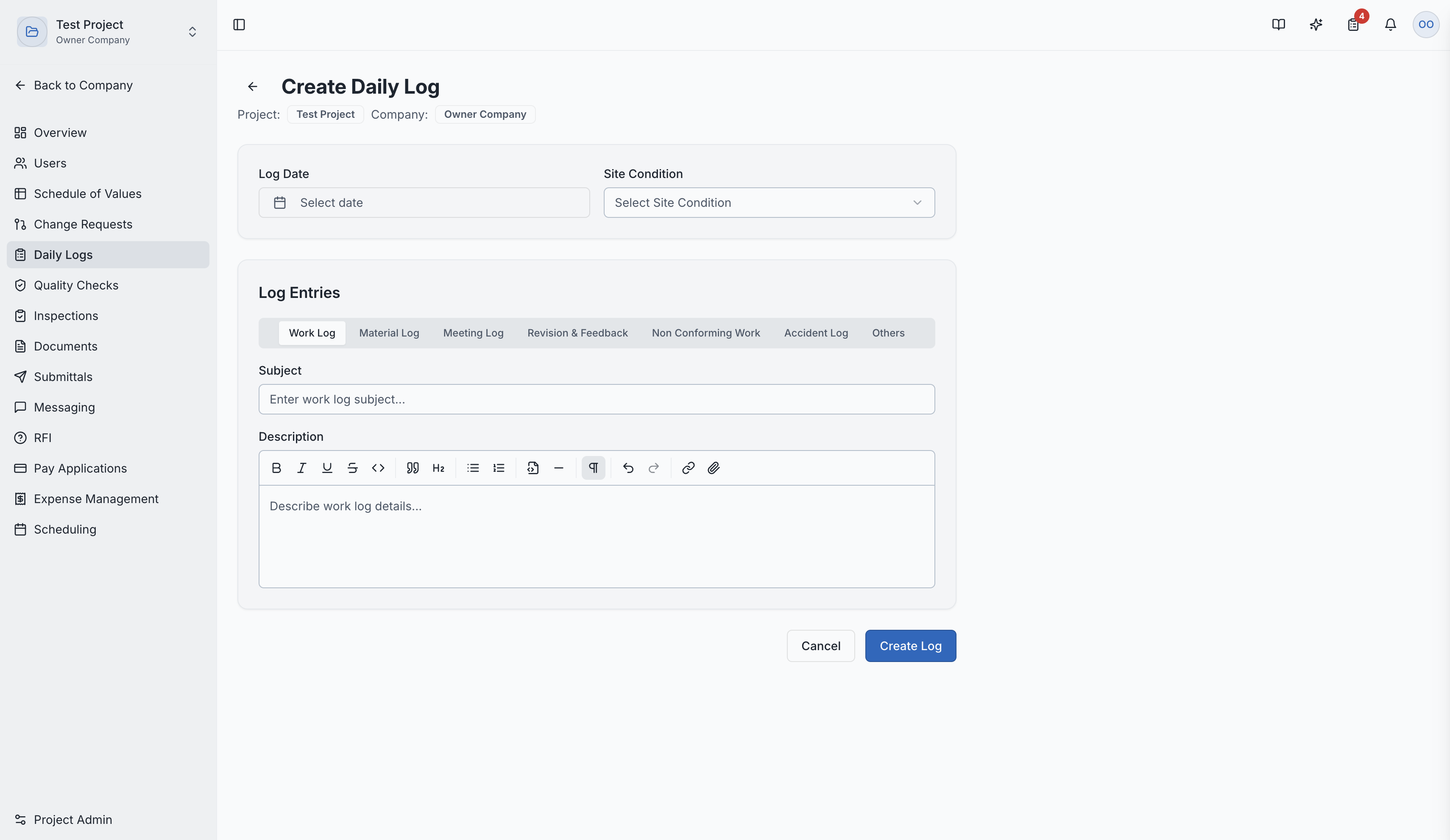
- Fill in the details:
- Date — the day being logged
- Weather Conditions — temperature, precipitation, wind, etc.
- Work Log Entries — by division/trade, describe what work was performed
- Workers On-Site — count of personnel by trade
- Site Photos — upload photos documenting progress
- Attachments — upload any relevant documents
- Invoice Uploads — attach related invoices
Creating a new daily log entry
Daily Log Workflow
- Logs can be submitted for review
- PDF Reports can be generated and exported for each daily log
- Auto-Close — expired daily logs are automatically closed by a scheduled system job (runs at midnight)
Visibility
Daily Logs have role-based visibility:
- Subcontractors see only their own daily logs
- General Contractors see all daily logs across all trades
- This ensures subcontractors can document their work while GCs maintain a complete project view
Daily Log Detail Page
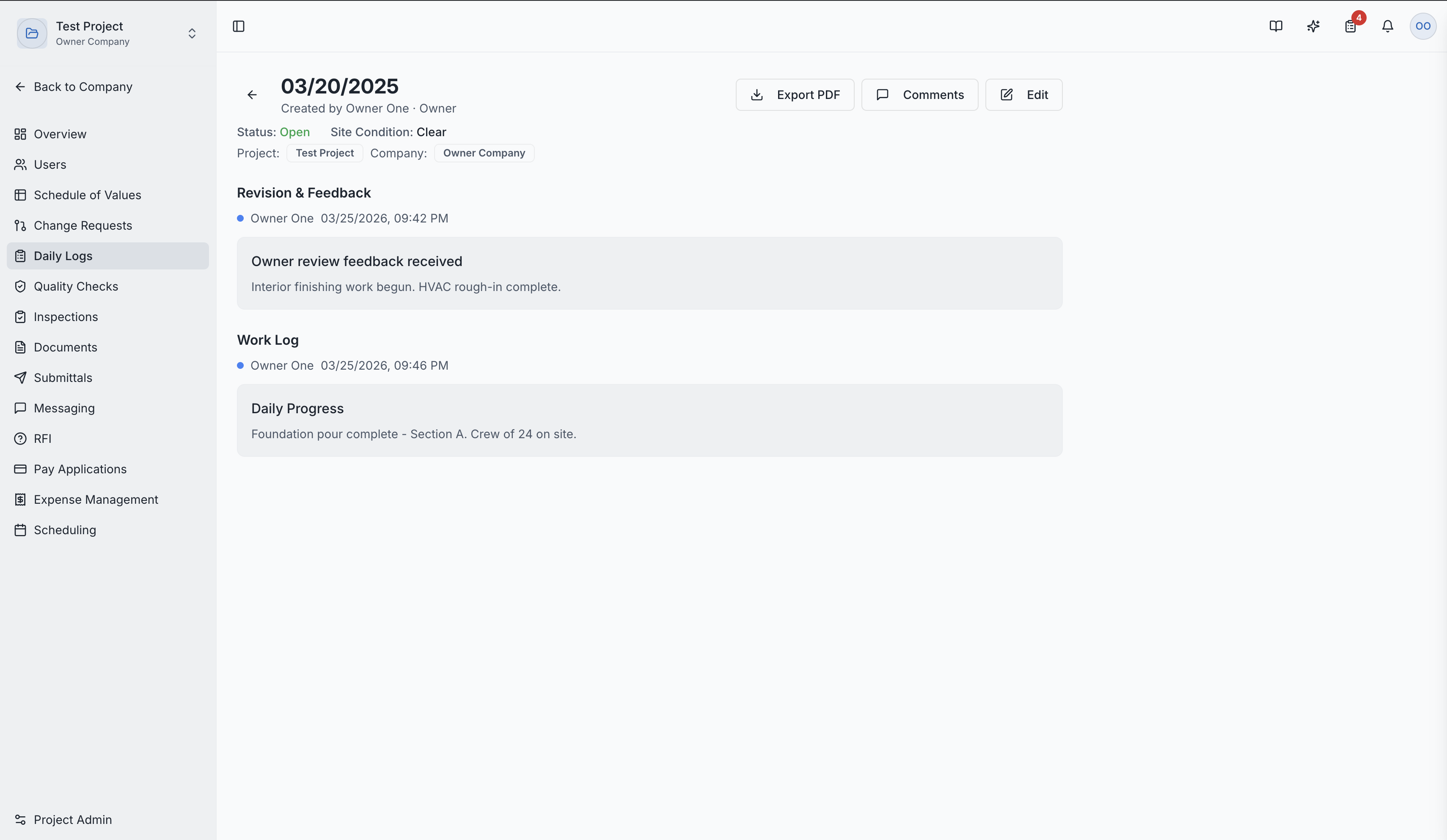
Clicking a daily log shows:
- Full work entries by division/trade
- Weather conditions
- Site photos gallery
- Attached documents and invoices
- Worker counts
Daily log detail showing work entries and photos
Role Access:
| Role | Access Level |
|---|---|
| General Contractor | View all logs, create and manage |
| GC Superintendent | Primary creator — create and manage daily logs |
| GC Project Manager | Full management access |
| Subcontractor | View and manage their own logs only |
| Owner / Developer | View all logs |
| GC Member | VIEW only |
Video Tutorial
How to Create Daily Logs in SuperConstruct