
Change Requests
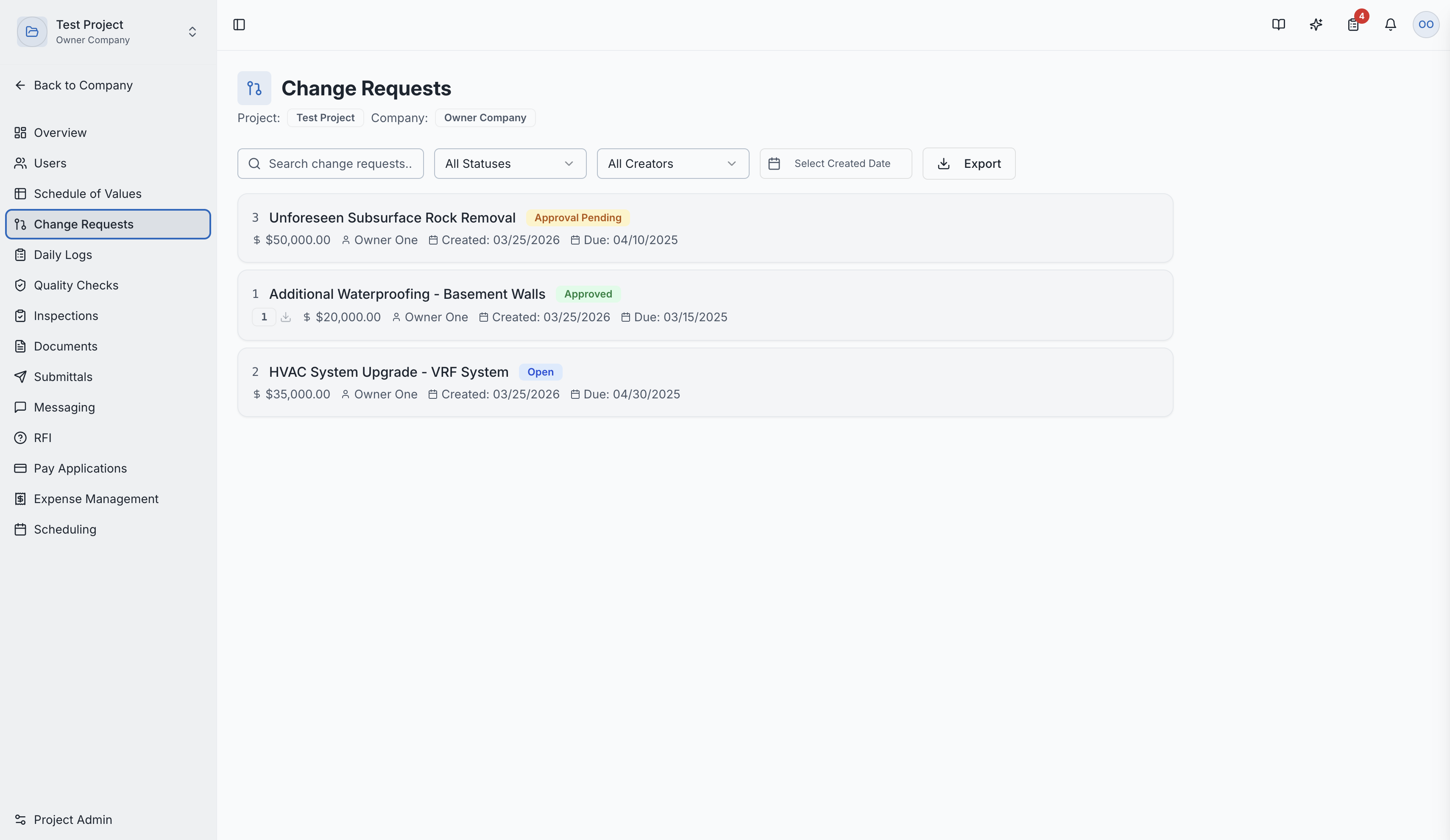
Formally request and track changes to project scope, cost, and schedule.
What Are Change Requests?
Change Requests (CRs) are formal requests to modify the project's original scope, cost, or schedule after the contract has been established. They provide a structured way to document and approve all changes.
In construction, scope changes are inevitable — design clarifications, unforeseen conditions, owner-requested additions. Change Requests ensure these changes are properly documented, priced, and authorized.
Why Change Requests Matter
- Financial Control — track every cost change against the original budget
- Schedule Impact — document how changes affect the project timeline
- Legal Protection — create a formal record of agreed-upon changes
- SOV Integration — approved changes flow directly into the Schedule of Values
- Audit Trail — maintain a complete history of all scope changes
Creating a Change Request
- Navigate to Change Requests in the project sidebar
- Click "New Change Request"
- Fill in the details:
- Title — descriptive name for the change
- Description — detailed explanation of what changed and why
- Linked SOV — which Schedule of Values this change affects
- Cost Impact — dollar amount (positive for additions, negative for deductions)
- Schedule Impact — number of additional or reduced days
- Attachments — supporting documents, photos, or correspondence
Change Request Workflow
| Status | Description |
|---|---|
| Draft | Being prepared — can be edited freely |
| Submitted | Sent for review and approval |
| Approved | Accepted — cost and schedule impacts are applied |
| Rejected | Denied with feedback |
SOV Integration
When a Change Request is approved:
- The cost impact is reflected in the SOV line items
- New line items may be added or existing ones modified
- The total contract value is adjusted accordingly
Signature Workflow
For formal Change Orders, SuperConstruct supports electronic signatures through Anvil integration. This creates legally binding signed documents.
CR Detail Page
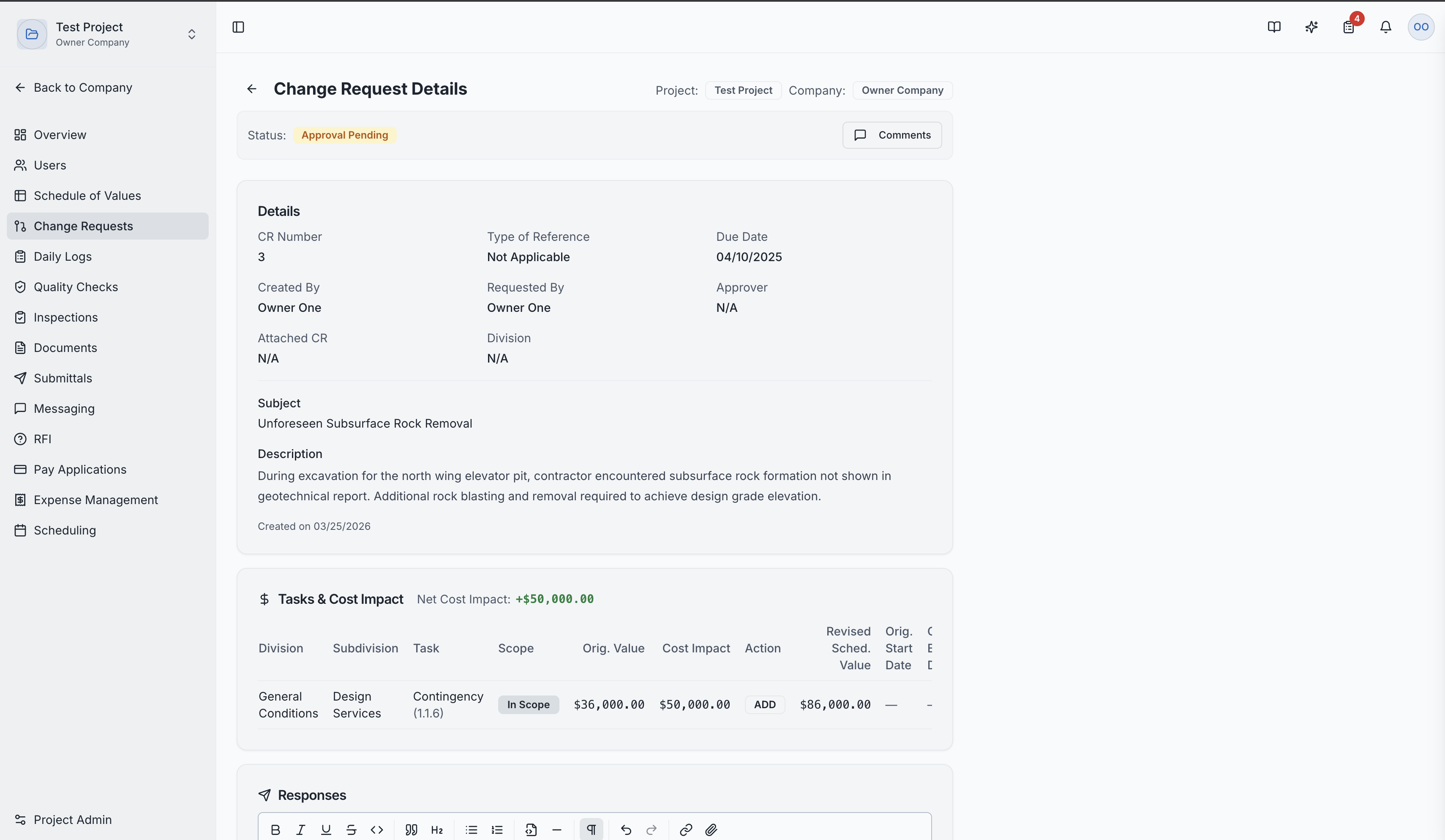
Clicking a Change Request shows:
- Full description and justification
- Cost and schedule impact summary
- Attached documents and references
- Approval history with timestamps
- Signature status (if applicable)
Role Access:
| Role | Access Level |
|---|---|
| General Contractor | Create, manage, and submit Change Requests |
| GC Project Manager | Full management access |
| Subcontractor | Can submit CRs for their scope of work |
| Owner / Developer | Review, approve, or reject Change Requests |
| Architect | Typically can view Change Requests |
| GC Member | VIEW only |
Video Tutorials
How to Create a Change Request
How to Unlock and Submit a Change Request
How to Sign a Change Request