
AI Assistant
Ask anything about your projects in real time — SuperConstruct AI has live access to all your project data.
What Is the SuperConstruct AI Assistant?
SuperConstruct includes a built-in AI that has live access to all your project data. Unlike general-purpose AI tools, it understands your specific projects, modules, team members, and workflows — giving you instant, context-aware answers without leaving the platform.
How to Access
Click the sparkle (✦) icon in the top header bar. The AI panel slides in over the current page.
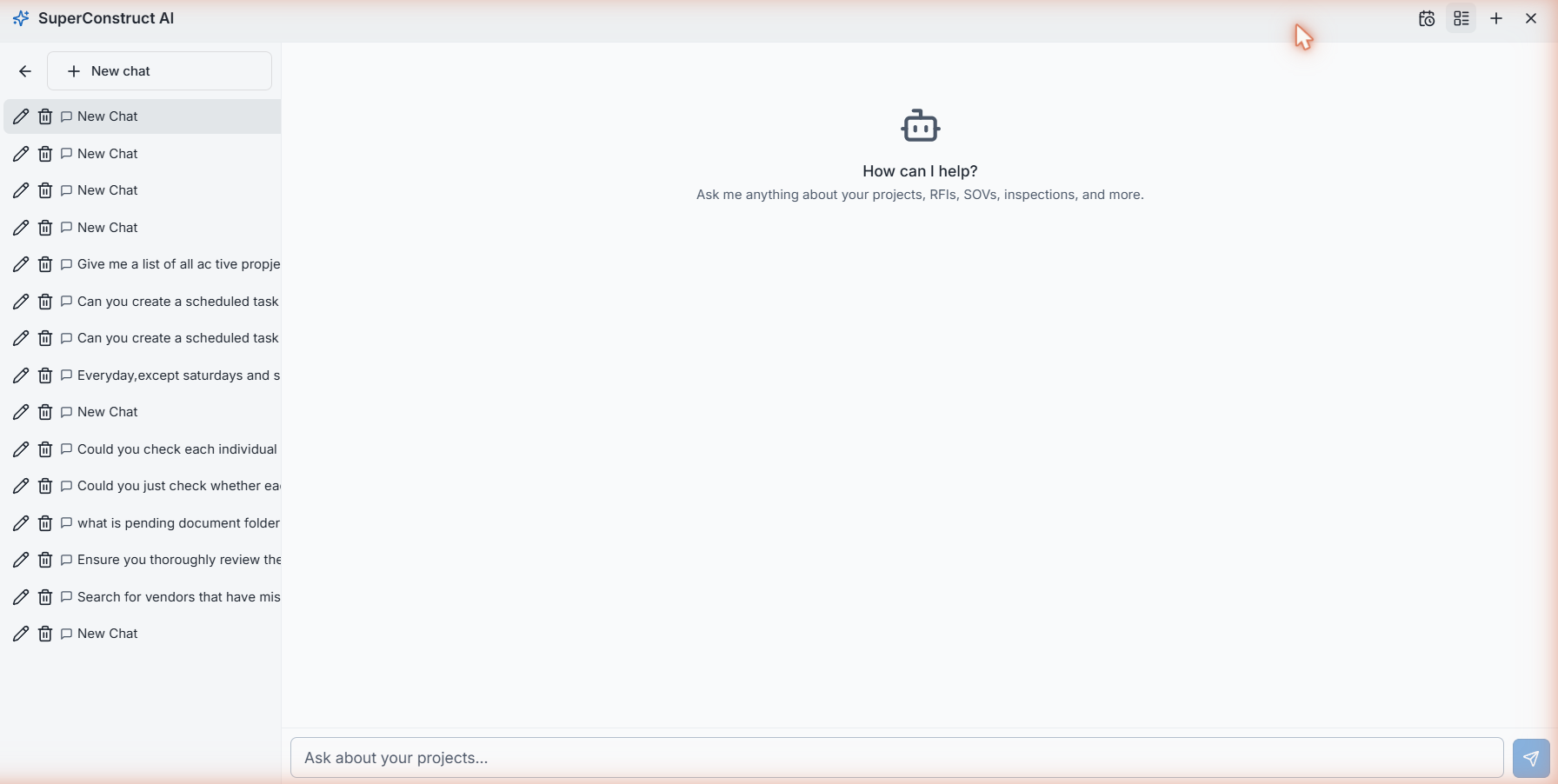
The Chat Interface
Once open, the AI greets you:
"How can I help? Ask me anything about your projects, RFIs, SOVs, inspections, and more."
Type your question in the "Ask about your projects..." input at the bottom and press Enter or click the send button.
Conversation History
The AI keeps your full conversation history:
- Click the grid icon in the panel header to toggle the split-pane view — past conversations appear on the left
- Select any past conversation to continue it
- Click "+ New chat" or the + icon to start a fresh conversation
What You Can Ask
The AI has live read access to every module and can answer questions across your entire portfolio:
Projects & Financials
- "What are my active projects and their current budget status?"
- "Which projects are behind schedule?"
- "What is the total contract value across all my projects?"
Schedule of Values & Billing
- "Are all SOVs uploaded between GC and Owner across my projects?"
- "Which SOV line items are missing start or end dates?"
- "Which pay applications are still pending approval?"
Daily Logs & Field Operations
- "When was the last daily log submitted for each project?"
- "Which projects haven't had a daily log update today?"
- "Group my projects by superintendent and show last log dates."
Vendors & Compliance
- "Which vendors have expired or missing insurance certificates?"
- "Show me all vendors with missing COI, License, Safety, or W-9 documents."
- "Which vendors have compliance documents expiring in the next 30 days?"
Inspections & Quality
- "List all failed inspections across active projects."
- "Which projects have open re-inspections pending?"
Media & Documentation
- "Was a drone video uploaded this week for all ground-up projects?"
- "Which projects have had no photos or videos uploaded in the last 7 days?"
Scheduled Tasks
Beyond real-time Q&A, the AI can run tasks autonomously on a recurring schedule — monitoring your portfolio and delivering findings automatically.
See AI Scheduled Tasks for full documentation on how to set up recurring AI-powered automations.
Video Walkthrough
AI Assistant — Platform Walkthrough
Role Access: Available to all authenticated users. All answers are scoped to data your role can access — you only see information for projects and modules you have permission to view.